Locate Your Databricks Connection Details
Connecting a Databricks data source to ALTR requires four values from your Databricks workspace: the workspace hostname, the service principal ID, the cluster ID, and an OAuth secret. For the connect procedure itself, see Manage Databricks Data Sources.
Workspace Hostname
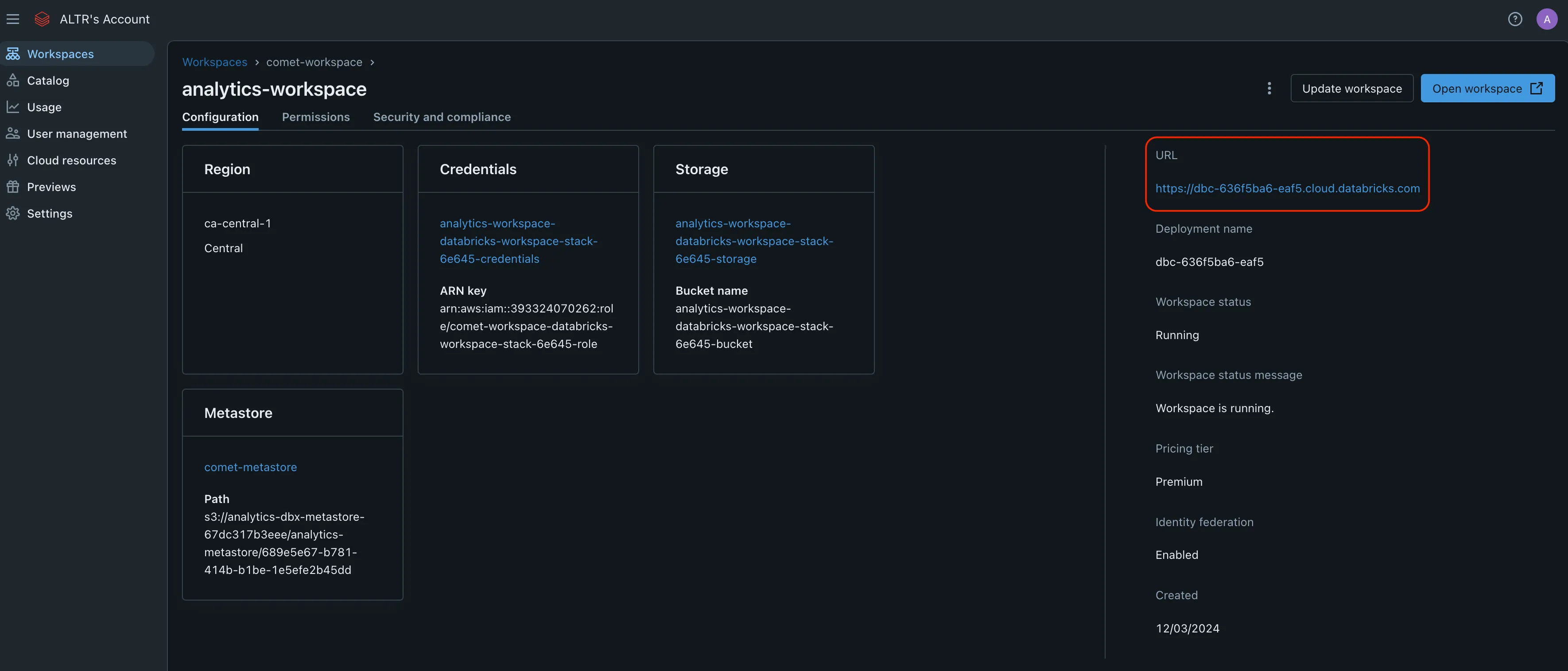
Section titled “Workspace Hostname”The workspace hostname is the URL shown in your browser’s address bar while working in your Databricks workspace.
Service Principal ID
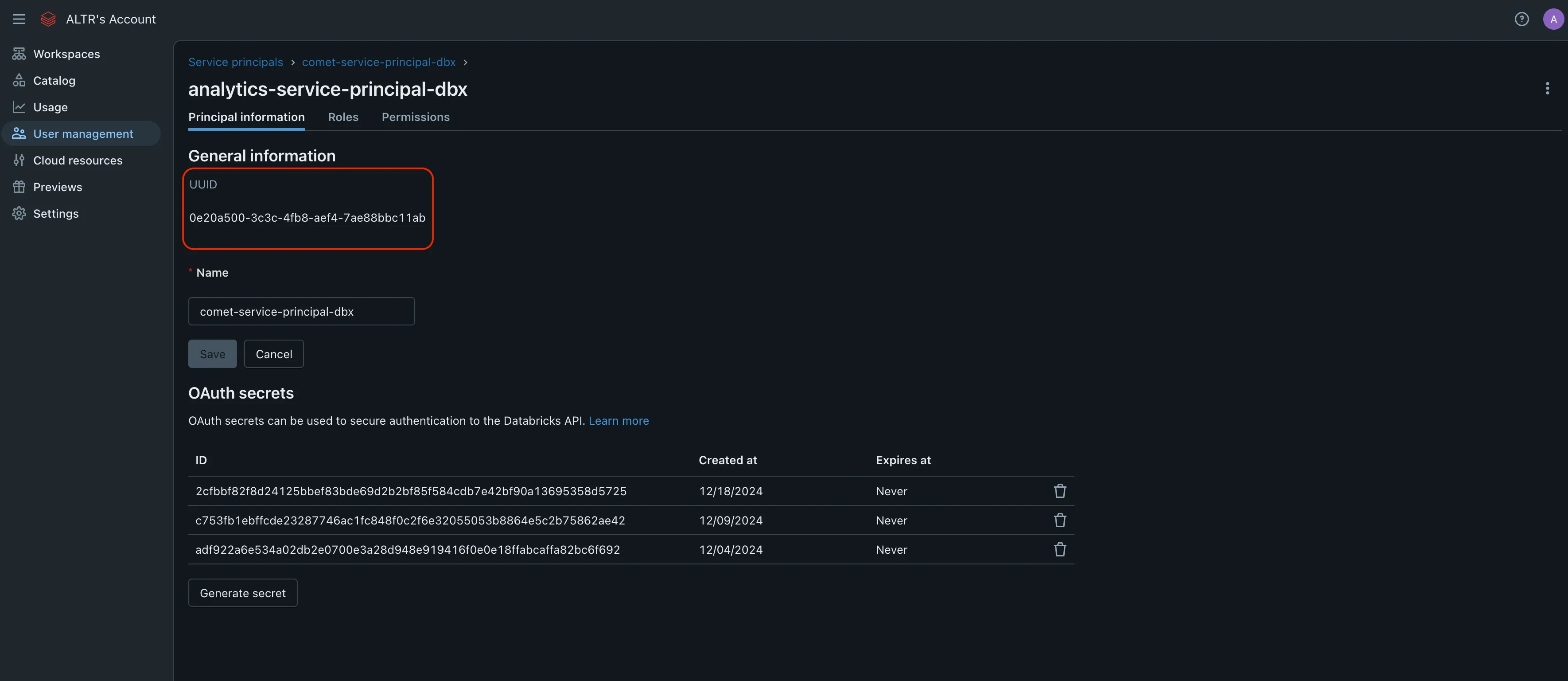
Section titled “Service Principal ID”The service principal ID is the UUID Databricks assigns to the service principal you created for ALTR.
Cluster ID
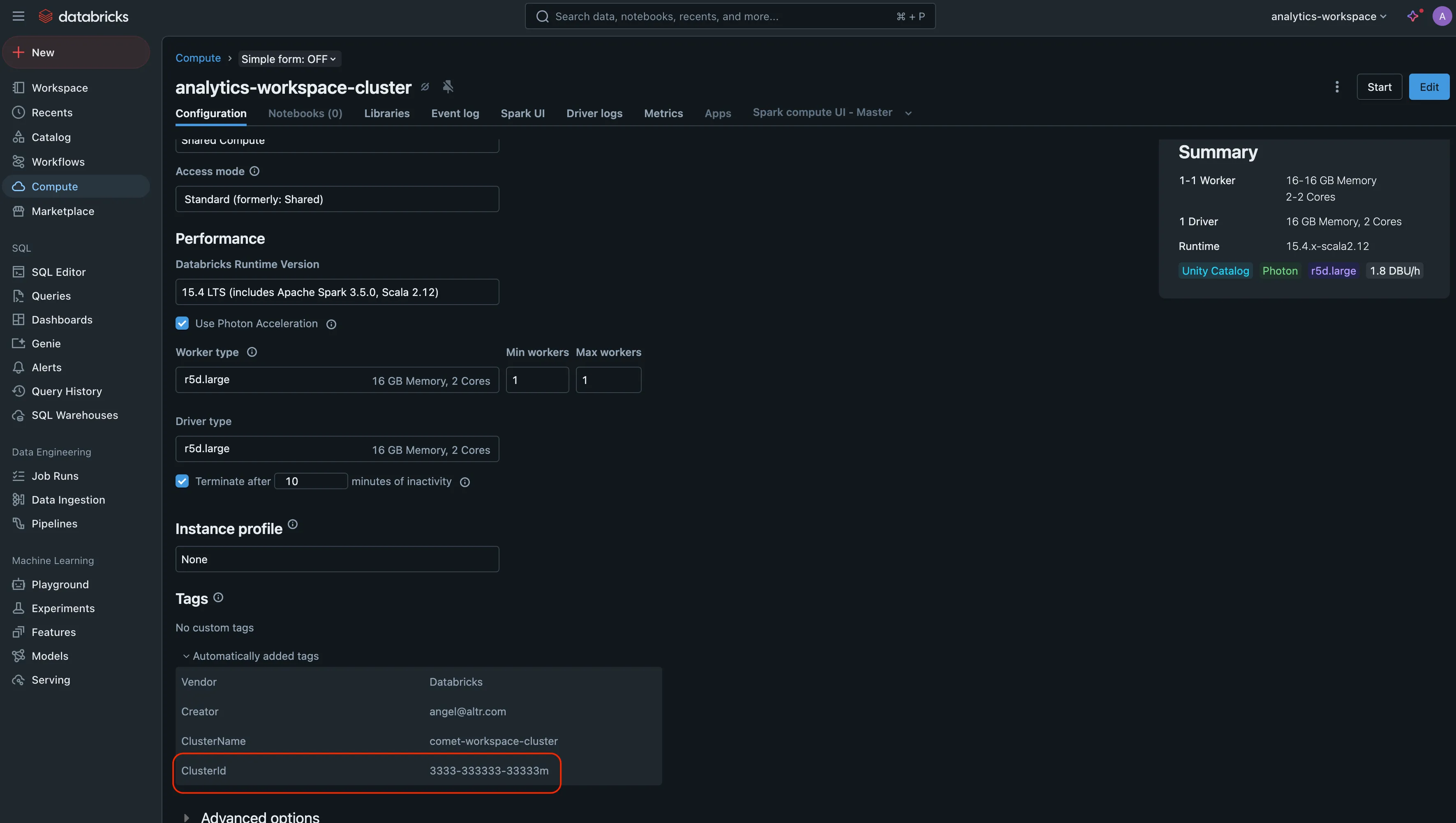
Section titled “Cluster ID”The cluster ID is listed under the configuration tab for the compute cluster ALTR uses.
To locate the cluster ID:
- From your workspace, select Compute.
- Select the cluster configured for your service principal.
- Open the Configuration tab.
- Scroll to Tags and expand Automatically added tags. The cluster ID is listed there.
OAuth Secret
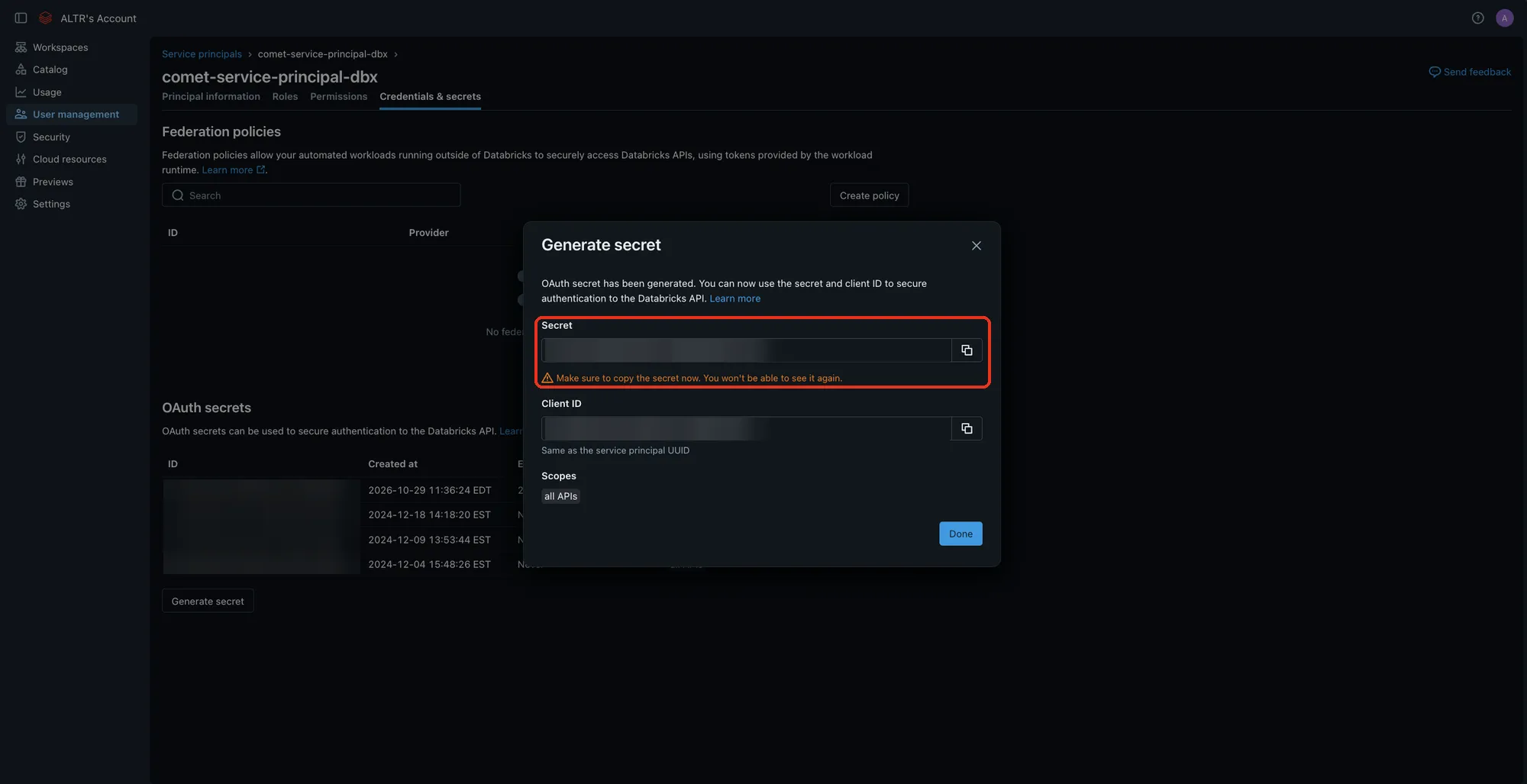
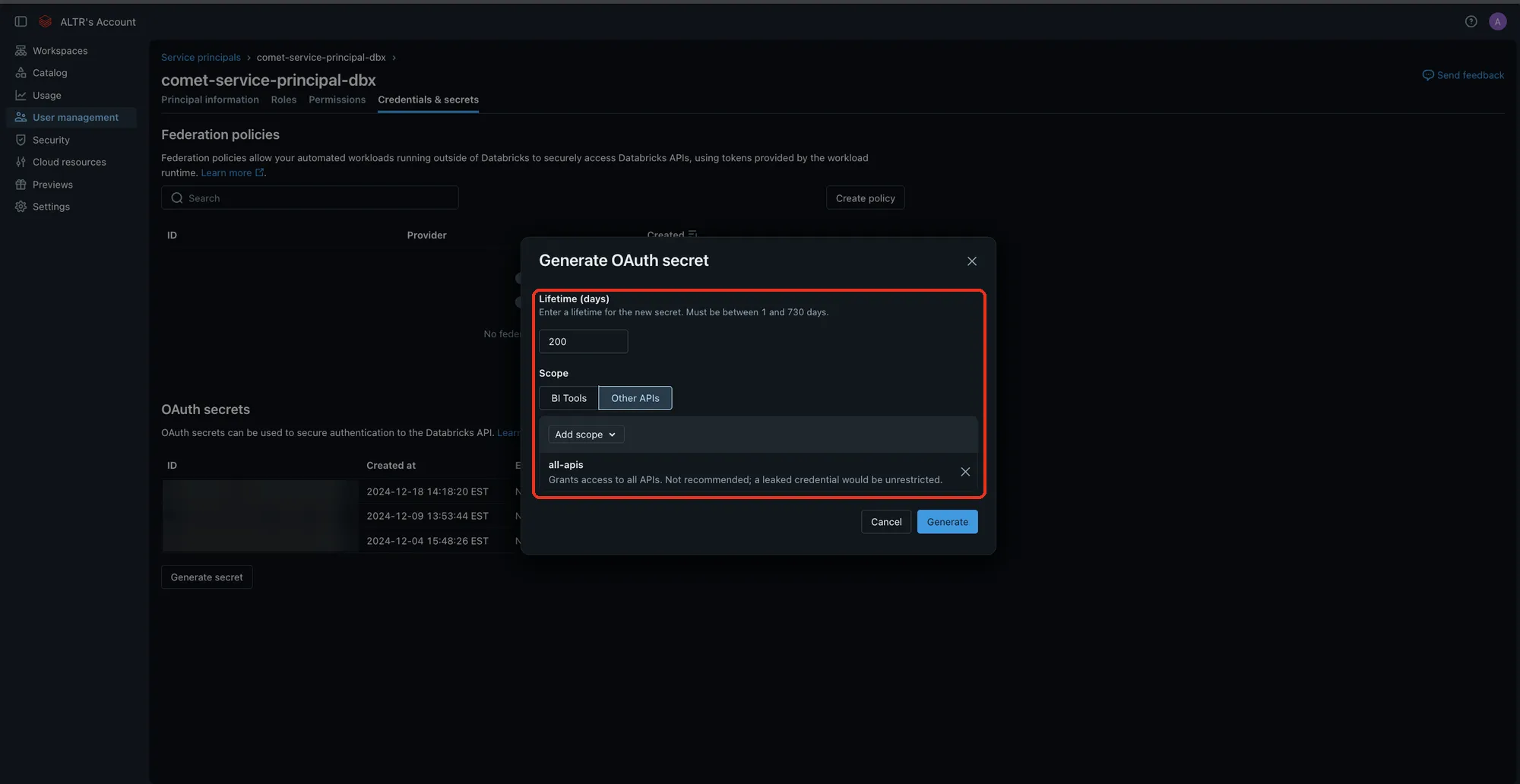
Section titled “OAuth Secret”The OAuth secret is generated from the Credentials & secrets tab of the service principal’s detail page. Databricks displays the secret value only once, when you generate it.
To generate an OAuth secret:
-
From the service principal’s detail page, select the Credentials & secrets tab.
-
Under OAuth secrets, click Generate secret.
-
In Lifetime (days), enter how many days the secret stays valid, from 1 to 730.
-
Under Scope, select Other APIs and confirm that
all-apisis listed. If it isn’t, add it from Add scope. ALTR currently requires theall-apisscope. -
Click Generate.
-
Record the Secret value. You cannot retrieve it again after you close the dialog.