

Google DLP Classification
ALTR’s integration with Google’s DLP classification tool works with Snowflake, Databricks, and OLTP databases. For OLTP data sources, you use your own Google credentials (BYOK) to run classification scans. It randomly samples data from individual columns only, never from full rows. This ensures the data is scrambled, cannot be reconstructed, and is meaningless on its own. The sampled data is then classified using Google’s DLP API. This API may return an “infotype” indicating what kinds of data may be present in the sample. ALTR provides this information back to users in a classification report.
The classification report not only shows you what data might be sensitive, but you can also use the results to automatically assign object tags to columns. Learn more about automatic tagging .
How ALTR Obtains the Sample
Section titled “How ALTR Obtains the Sample”ALTR does not sample customer data or send it to the Google DLP service without it being explicitly enabled by the customer. By default, classification is disabled. To enable classification, select Tag Data by Classification for the data source. Learn more. .
ALTR randomly selects samples of data from each column to prevent row identification and does not persist or log the sample of data sent to Google’s DLP service.
To obtain the database sample for classification, ALTR:
- Counts the number of columns in the table and multiplies it by 2.
- Randomly selects [(column count) x 2] rows from the table. For example, if there are 10 columns, ALTR selects 20 rows. This data set becomes Sample 1.
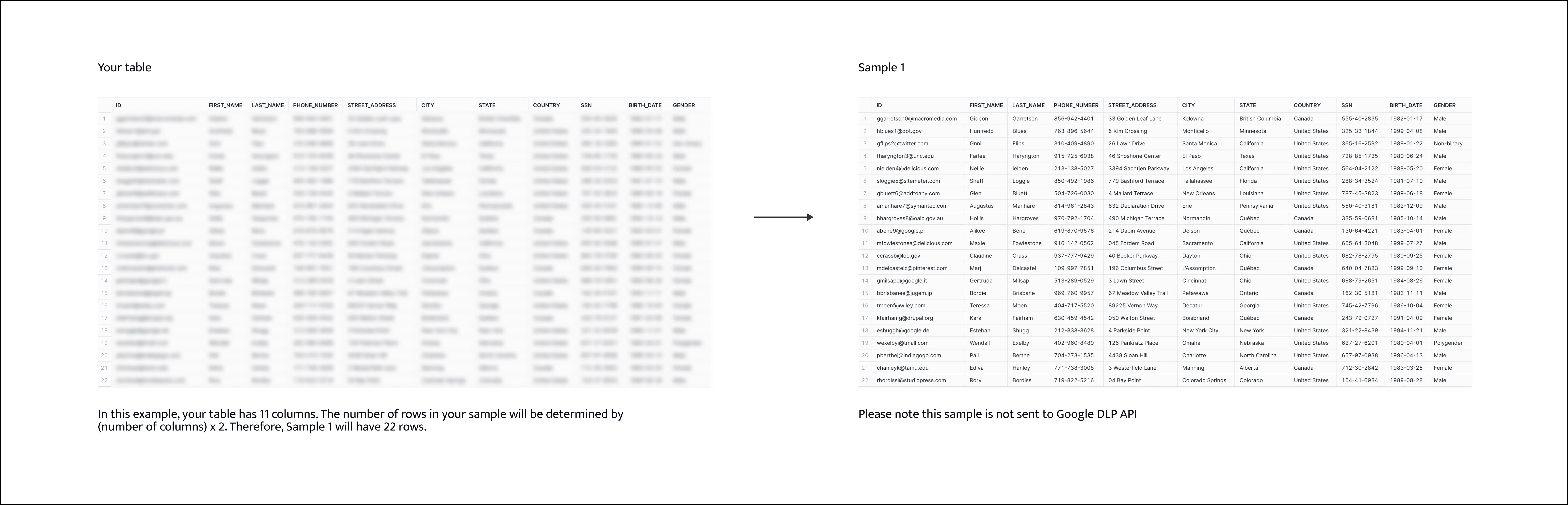
- Uses Sample 1 to create a Sample 2 that is half the number of rows as Sample 1.
- Starting with the first column, ALTR randomly selects 10 values from Sample 1, and places them in rows 1 through 10 of the corresponding column in Sample 2. This process is repeated for each column. This is the sample that is sent to Google DLP.
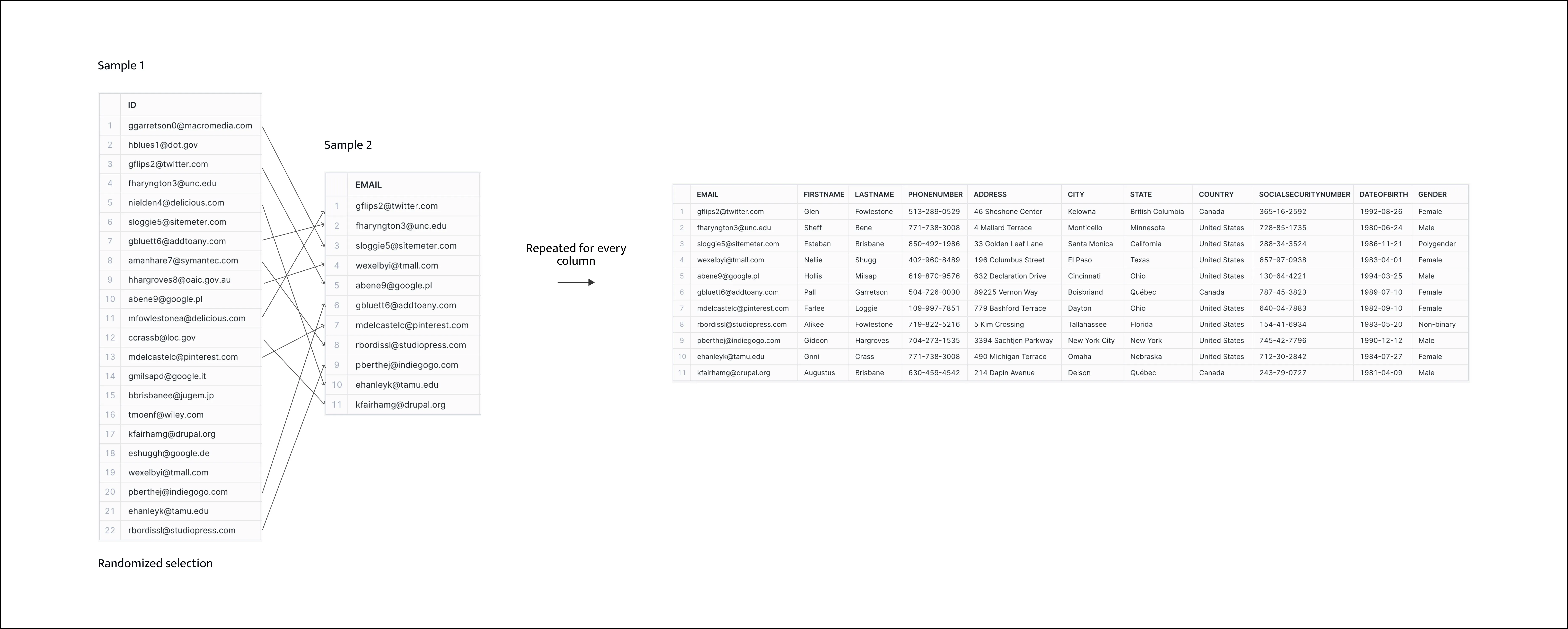
Sample 2 scrambles the table without changing the type of data in each column. Any particular column value may or may not be related to the other values in the same row.